
Microsoft 365 file preparation for Windows
PathReady
A clear handoff. Originals intact.
Review troublesome names and paths, prepare a separate verified copy, and keep an exact record of what changed before your Microsoft 365 handoff.
Free scanning and planning. Prepare up to 100 included files and 100 MiB of primary content per operation. Both limits apply. Windows 11 x64 · Local NTFS.
MAKE ROOM FOR THE WORK THAT MATTERS
Hand over more than a folder.
A renamed archive leaves questions behind. What changed? Was everything copied? Where did that file go? Prepare a separate copy with a reviewed plan and a record the next person can follow.
BEFOREAn archive with naming issues and changes still to explain.
WITH A BETTER WORKFLOWPrepared files, recorded checks and a clear handoff.
Know what you are approving.
Review proposed names, affected paths and exclusions together. A different destination may be enough to avoid some renames.
Keep the original available.
Prepare a new local copy instead of renaming the source tree. You retain the original archive for comparison and follow-up.
Make the next step easier to follow.
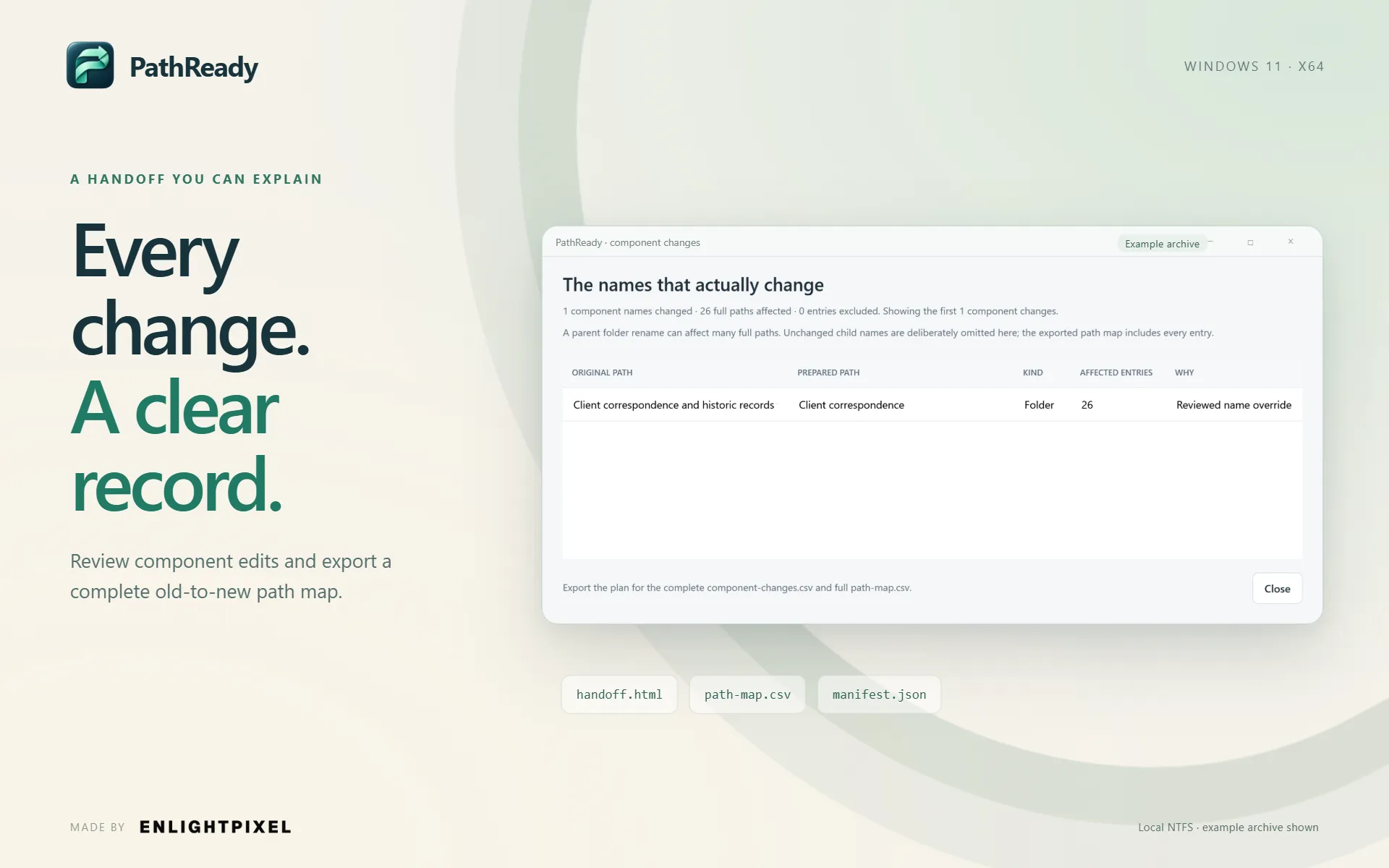
Hand over the prepared files with recipient instructions, recorded content checks and an exact map of inventoried old and new paths.
What makes PathReady different
Review troublesome names and paths, prepare a separate verified copy, and keep an exact record of what changed before your Microsoft 365 handoff.
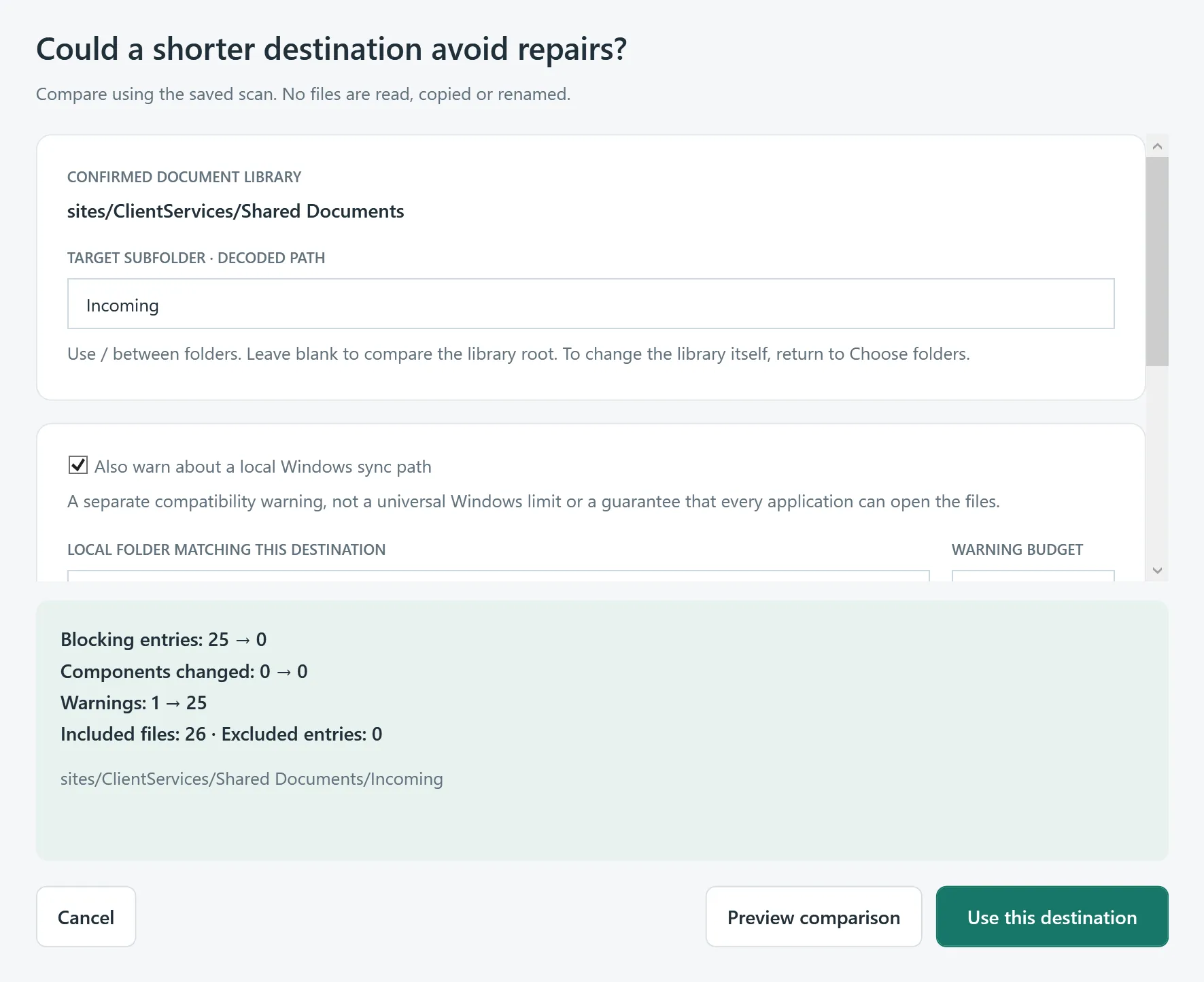
Compare destinations before changing names.
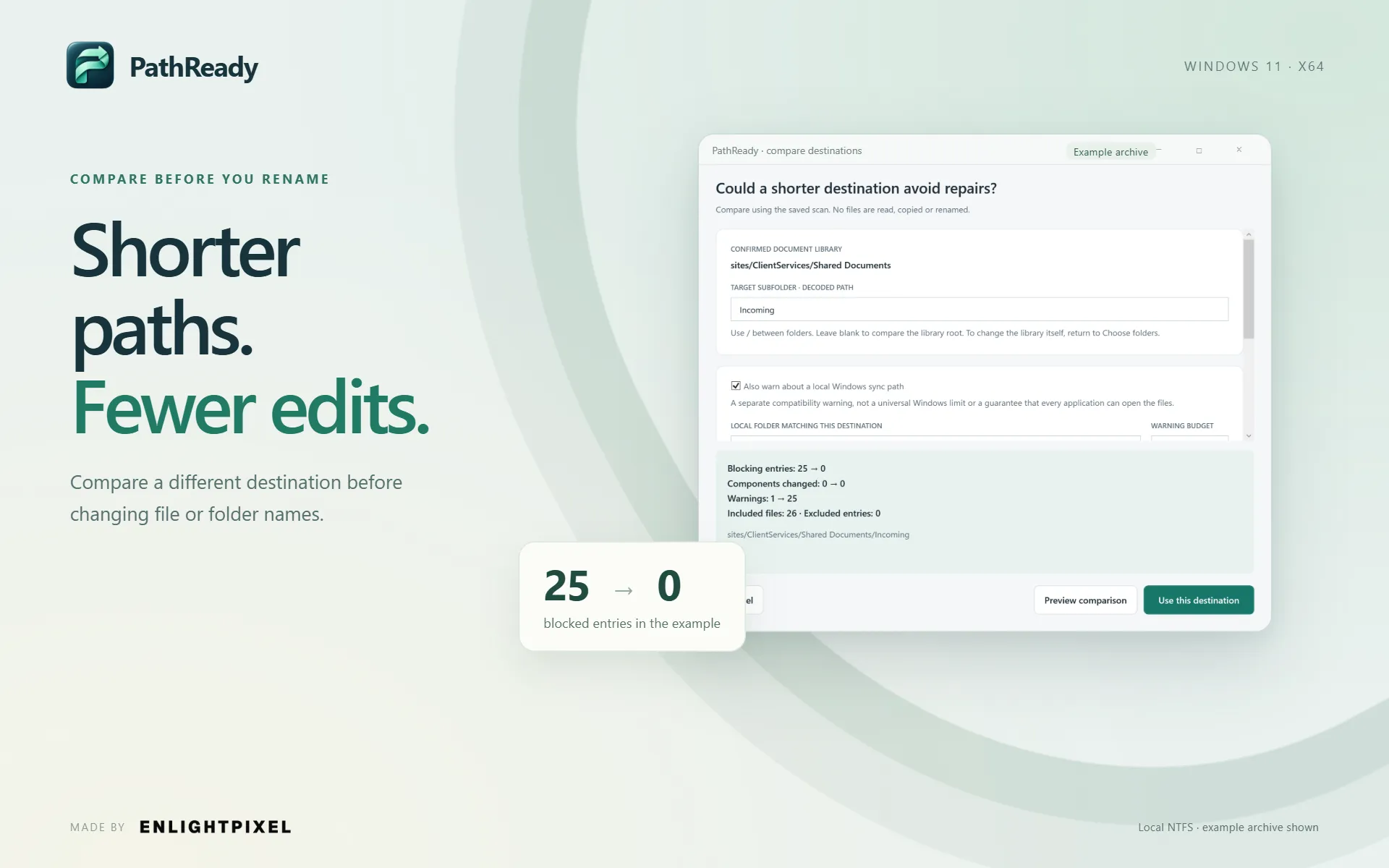
The destination is part of the path. Compare a shorter target subfolder using the saved scan before deciding which names really need to change.
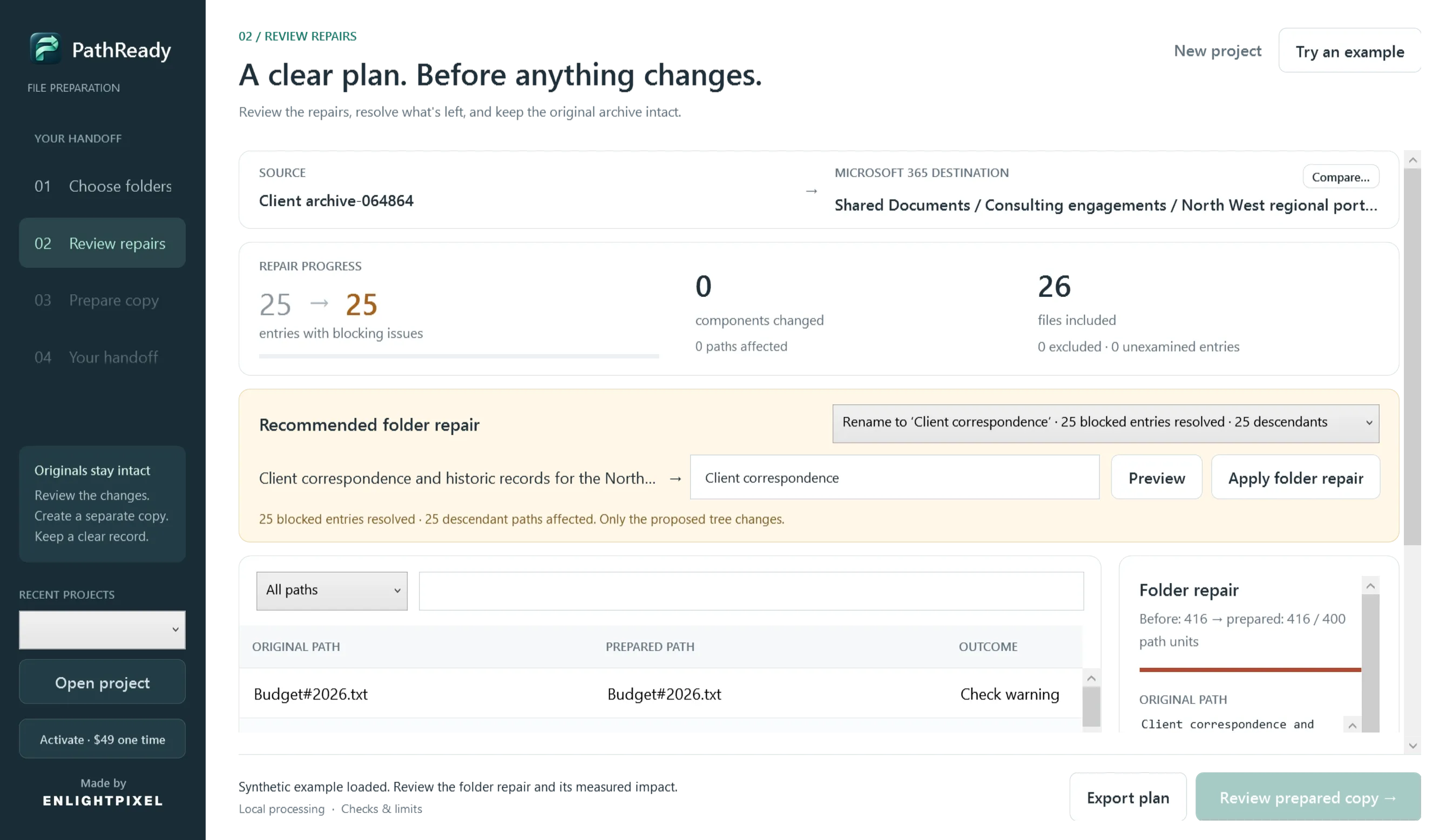
One folder edit. A clearer path for its contents.
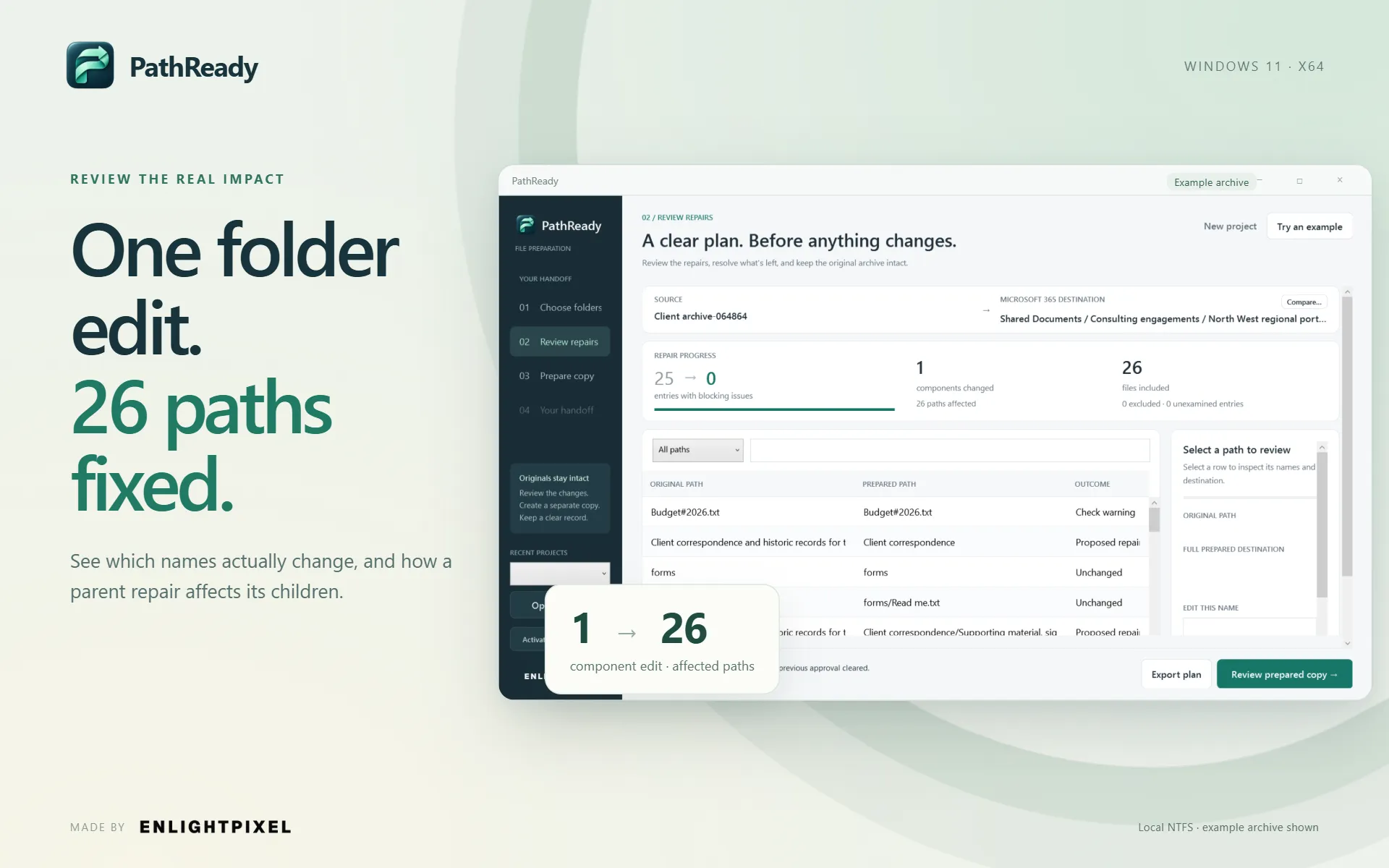
A long parent name affects every path beneath it. Review a suggested parent repair and see its effect on descendants before approving the plan.
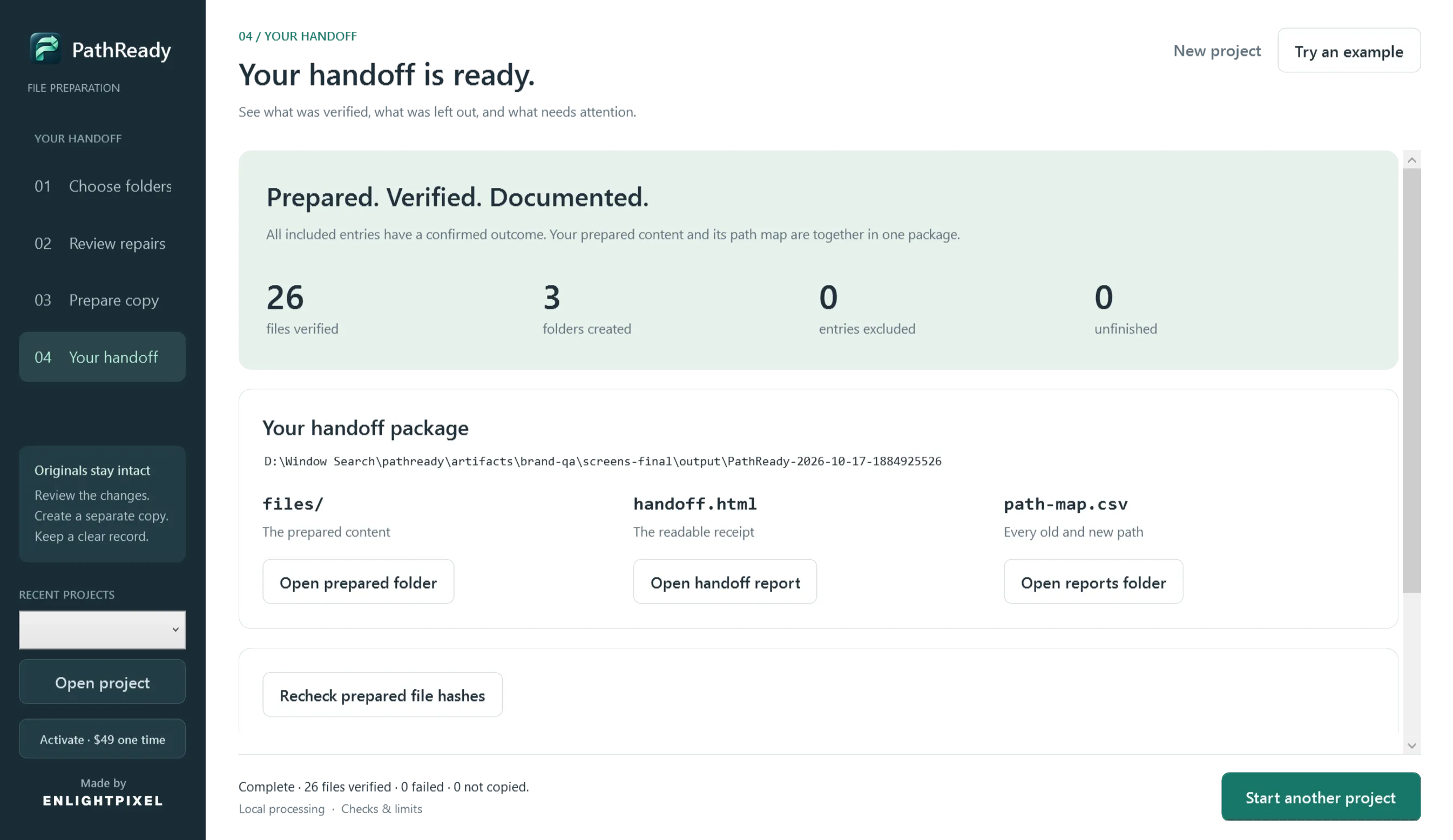
A separate copy. A useful record.
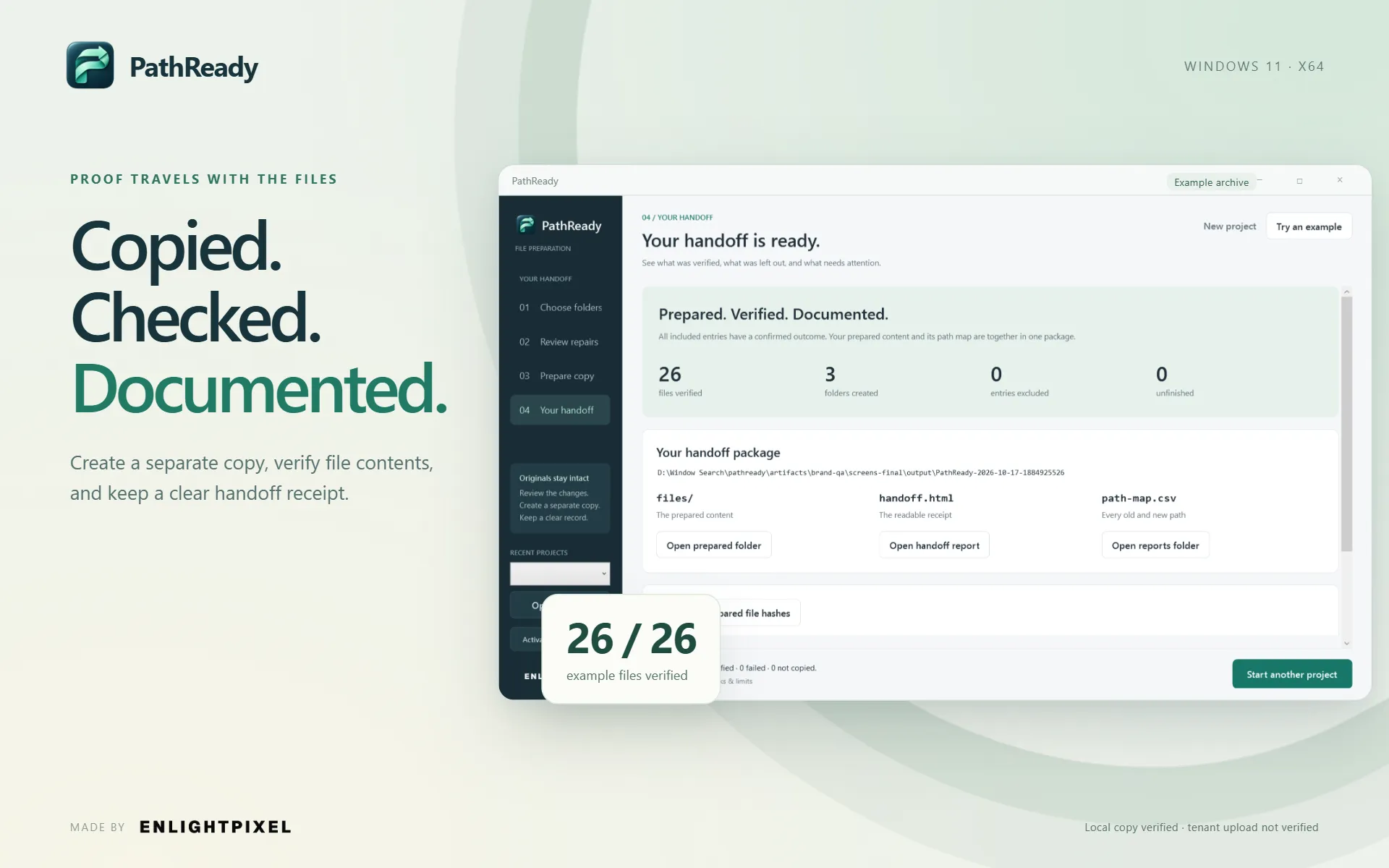
Approve the reviewed revision, create a new operation folder and verify copied contents. The handoff explains included files, exclusions and unfinished work.
And there's more
Recheck after the handoff.
Compare prepared files with the saved local receipt without rereading the originals. See changed, extra or missing entries; keep the receipt as your trusted baseline.
See the scope, not just a success label.
Review inventoried entries, explicit exclusions and unavailable scope. Interrupted work keeps its partial output and distinguishes verified results from unfinished files.
Keep the file work local.
Scanning, planning, copying and verification happen on your computer. Activate once online, or import an offline certificate, then keep working without recurring activation checks.
How PathReady works
Review the plan. Prepare the copy. Leave a record the next person can follow.
Choose folders.
Select a supported local archive, describe the Microsoft 365 destination and confirm the library boundary.
Review repairs.
Compare destinations, inspect proposed names and decide what to change or exclude.
Prepare the copy.
Choose a separate staging folder and approve the exact revision before creating verified output.
Hand it over.
Read the result, keep the path map and recipient instructions, then use your chosen handoff or upload process.
FREE TO START. ROOM TO GROW.
Try the actual workflow.Make room for the larger handoff.
The one-time license unlocks larger preparations within the app’s documented capacity. The workflow stays the same: review the plan, prepare a separate copy and leave a useful record.
| What you can do | Free evaluationA useful place to start | Full license$49.00 · One-time purchase |
|---|---|---|
| Scan, compare and review | Included | Included |
| Prepare a verified copy | 100 files + 100 MiB per operation | Larger operations within app limits |
| Reports, path map and rechecks | Included | Included |
| Time limit | No timed expiry | Keep the purchased version |
Included in both plans. Destination comparisons, reviewed name edits and exclusions, saved projects, plan exports, content verification and handoff reports. No timed evaluation expiry or limit on the number of evaluation operations.
Both free preparation limits apply independently: up to 100 included files AND 100 MiB of primary content per operation. Excluded files do not count. Named streams require additional storage. Both editions support up to 100,000 inventoried entries (including folders) and 256 directory levels within the documented local-filesystem scope. The full license does not remove these safety and capacity limits.
Technical details
Platform
Windows 11
Offline after activation
Memory
See the release requirements; capacity depends on the archive and available memory
System requirement
Storage
Space for the separate copy, named streams, temporary work and reports
System requirement
Privacy
Your files stay local
File contents, paths and reports stay on your computer. Online activation sends license-request data separately; local reports may contain sensitive paths.
License
One-time license · Purchased version
Pay once. Keep the purchased version. Updates within the same major version are included.
Updates
Same-major-version updates
Released updates within the purchased major version are included. No lifetime major-upgrade or release-schedule promise.
What you get with PathReady
A closer look at the capabilities and how they fit into your workflow.
| Capability | How it helps |
|---|---|
| A preparation tool, with a clear boundary. | Built for Microsoft 365 archive handoffs. No tenant login, cloud upload or promise of universal upload acceptance. |
| A real evaluation, not a timed demo. | Use the actual review and verification workflow. Smaller preparations remain available without a timed expiry or payment card. |
| Useful across client and team handoffs. | For consultants, IT administrators and coordinators who need a reviewable archive and documentation another person can use. |
| One purchase for an occasional job. | Keep the purchased version, with released updates within the same major version. No subscription or recurring activation connection. |
Common questions about PathReady
Does PathReady upload my files to Microsoft 365?
Does it change my original files?
Can I try it with real files before buying?
What does the paid license unlock?
Is PathReady a subscription?
Does it need an internet connection?
Which systems and folders are supported?
Can I use a network share or online-only OneDrive folder?
Does verified mean Microsoft 365 will accept the upload?
Why can one folder change affect many paths?
Can I check the prepared files later?
What if preparation is cancelled or interrupted?
Can I get a refund?
Latest Release — v1.0.0
Oct 18, 2026- Initial release: destination-aware name and path review, parent-folder repairs and destination comparison.
- Separate-copy preparation with content verification, handoff reports and exact path mapping.
- Free evaluation and permanent offline activation for larger preparations.
Pay once. Keep the purchased version. Updates within the same major version are included. 14-day refund policy.
Leave the files ready. And the next person informed.
Try the complete workflow on a smaller archive. Choose the one-time license when you need larger preparations.